Version 2: Refinements and building a new app for the weather
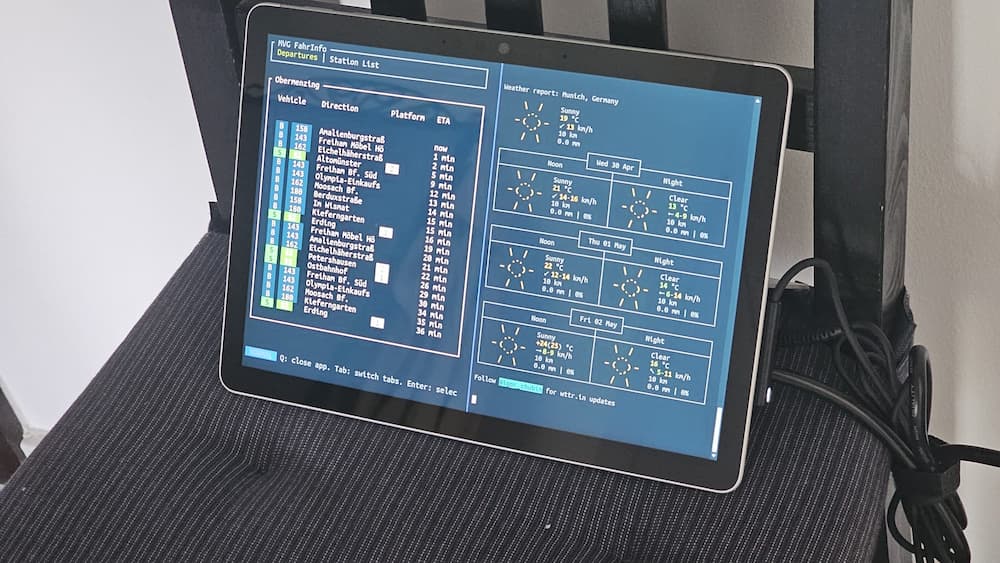
But ultimately, the weather output from wttr.in was just not close enough to what I needed: The formatting was fiddly, the API often returned errors and I needed more detail to make a good decision.
So, weaponized with a free month of github copilot pro, I set out to create the best terminal user interface (TUI) for weather the world has ever seen!
Given I was not out to learn a new language this time, I chose python with textual as a TUI framework. Textual turned out to be quite easy to work with, which was a great plus.
Given the time constraints of a few hours per day for a few days, I chose to have copilot write most of the code. This choice of having copilot figure out textual of course greatly diminishes how much I will learn the framework.
In the words of Joel Spolsky “[…] the abstractions save us time working, but they don’t save us time learning.”
The motivation here was mainly to build something useful fast and less on the learning. One thing I definitively learned is how important a good agents.md file is, to rein in what copilot should (always run the formatter and tests) and shouldn’t (just push when it thinks it’s done) do.
But it still feels weird to build something without learning about the underlying system thoroughly.
To quote Joel Spolsky again: “And all this means that paradoxically, even as we have higher and higher level programming tools with better and better abstractions, becoming a proficient programmer is getting harder and harder.” (The Law of Leaky Abstractions).
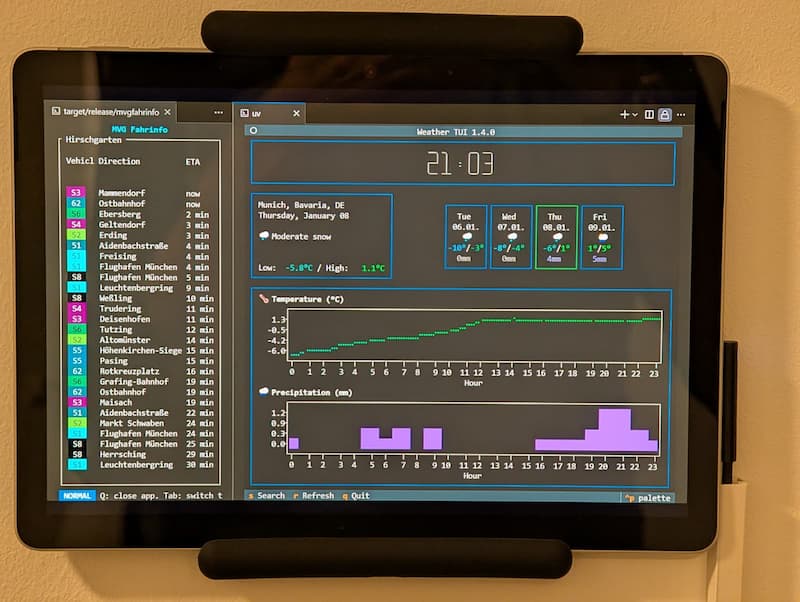
With these philosophical words, here is the final result: benedikt-mayer/weather-tui. I’m quite happy with how it turned out, and even released it as a package on pypi: weather-tui.
In the app, one can type in a place name (like “Munich”), and the app will:
1. Look up the place name on openweathermap.org’s API to get the corresponding latitude and longitude
2. Call open-meteo.com’s API with those coordinates, which will deliver great, easily usable weather information
3. Display today’s weather information in a graph as well as
4. Display a summary of the next days, which when clicked on shows the full information for that day
All it needs to run, is a free API key from openweathermap.org and one can run the TUI by running:
uvx --refresh --with weather-tui python -m weather_tui
As a side side project, I have also made both of those initial steps into MCP servers (lat-long-mcp-server and weather-mcp-server) as well as built a small MCP client to call and test them (mcp-client). For those, the learning was greater, the use is questionable.